
Browser extensions are add-ons that are installed in a browser to modify its functionality. Due to their success in improving productivity, offering customization, and adding convenience, almost everyone uses them. The only price for these benefits is usually granting broad permissions to the browser.
Allowing an external entity to have full access to a browser can bring its share of risks. Whether that’s simply accessing data (which is far more dangerous than it may seem), tracking browser use, or taking advantage of granted permissions to misuse a browser, every one of these poses severe data privacy concerns. This article focuses on awareness and offering helpful tips to reduce the cost of using browser extensions.
Why Do Browser Extensions Threaten Our Cybersecurity?
Browser extensions are limited to operating within the browser environment. This means that they cannot pose a direct threat to our operating system, but they still do pose security risks. Browser extensions can read webpage data, which allows attacks designed to target us with specificity. For example, an attacker sees us shopping for new running shoes and then creates scams that appear in our browser, offering a huge discount if we enter our email credentials.
Now the attacker has access to our credentials, and we are in huge trouble. The same could be said of their ability to access browsing activity and modify browser behavior to manipulate and take advantage of us. It’s helpful to remember that these browser extension security risks often arise from our own actions, and that awareness can help us better protect ourselves.
The Risk of Malicious Browser Extensions
Malicious browser extensions are designed to steal our credentials, inject spam advertisements, and track our user data. The danger they pose is their delayed activation. Malicious action may not be immediate. Instead, it could first study user behavior and then be activated later, resulting in consequences we were not prepared to face because of an unintentional decision.
The Risk of Browser Hijacking
Browser hijacking occurs when an attacker takes control of our browser, altering URLs and redirecting us to a malicious website. Browser extensions can cause this because they can change search engines, redirect traffic, and inject unwanted content, all affecting the privacy and security we expect from our trusted browser. Having our browser hijacked leads to trust issues and harms our relationship with our browser and our computer.
The Cost of Unconscious Installation of Extensions
At times, we don’t realize that we are using browser extensions. This is where the threat arises. We can add an extension with just a couple of clicks to make our lives easier. Allowing applications to constantly run in the background. The danger this poses is that we unconsciously approve the request for the permission these extensions require. Once we have installed them, we face browser extension security risks, which create the danger of Telegram scams, as malicious browser extensions monitor and access information and become an easy entry point for these scams. By redirecting browsers to fake Telegram accounts created by attackers, they can inject phishing content, compromise our privacy, and further steal and misuse information that could result in severe repercussions.
Our intention is never to compromise the privacy of our data. However, that ceases to matter once attackers can compromise our systems and damage our security.
What Is the Permission We Are Granting?
To understand the data privacy concerns created by granting permissions. We must first understand what permissions are and how they work. Standard permissions include ‘read browsing history’, ‘access page content’, and ‘modify websites’. If we read these requests, we might think twice about offering permission to the applications we use, let alone browser extensions.
However, because they are displayed in fine print and permission requests overload our eyes with so much text that we instinctively accept and move on, we risk our data by approving these and other excessive permissions. Most researchers and developers use the OWASP browser extension cheat sheet to avoid the risks of permission overreach and data leakage. Using it may benefit our own understanding and help increase our awareness of the threat extensions pose to our browsers.
The Far Reach of Malicious Extensions
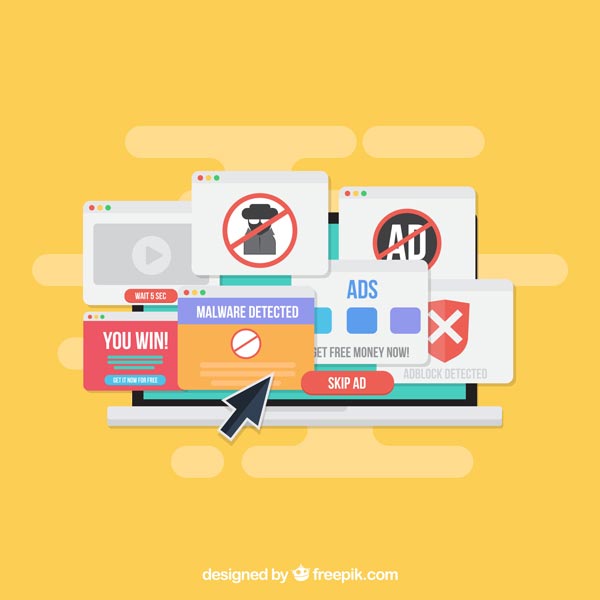
Image Source: Freepik.com
Malicious browser extensions could potentially initiate a supply chain attack. This is when a trusted piece of software becomes unsafe after users install it. This means that clean software is now at risk because of something on our devices. In a supply chain attack, attackers do not target users but instead the system that maintains the software. When referring to browser extensions, this means that the extension itself changes.
Browser extensions update in the background automatically after installation. Users install it once and never review it again, so any malicious update pushed will replace the safe version without prior warning, turning something safe into something dangerous almost instantly.
Because these updates happen automatically, the changes to their permissions are presented in very technical language, and they tend to function seamlessly while being malicious, users assume they are safe. This is precisely what makes supply chain attacks so difficult to detect and prevent.
Conclusion
No one ever intentionally installs malicious or untrusted browser extensions. It is always an accident. However, the presence of these extensions can create serious privacy risks. It is of paramount importance to be aware of everything that goes on in our computers to better prevent and mitigate risks.
Avoidance does not help anyone in these situations. Over time, malicious extensions will gather more and more information and pose a greater threat. Responsible use of extension is necessary to avoid this danger, and remember that there is no reason to panic if we are aware of the risks and how best to prevent them.